max() Function in Python: Syntax, Parameters, and Examples
max() Function in Python: Syntax, Parameters, and Examples
Last updated by Swaminathan Iyer on Apr 1, 2026 at 11:43 AM
|
Reading Time: 3 minutes
Article written by Kuldeep Pant, under the guidance of Neeraj Jhawar, a Senior Software Development Manager and Engineering Leader. Reviewed by Manish Chawla, a problem-solver, ML enthusiast, and an Engineering Leader with 20+ years of experience.
Last updated on Apr 1, 2026 at 11:43 AM
|
Reading Time: 3 minutes
The max() function in Python gives you the value from a group of values or from a list of items. You don’t have to check each one.
You can use max with numbers, words, lists and groups of items. It also works with collections of key-value pairs in some cases. When you start using tools like type check, item check and string join the max function starts appearing in your code.
In this article we look at how to use max in Python. We see what you can put in it. We show you some examples of max in Python.
Key Takeaways
max() function in Python function that returns the largest item from an iterable or from multiple values passed directly.
It supports a key parameter for custom comparisons and a default value for empty iterables.
When more than one item has the same maximum value, max() returns the first one it encounters.
It works with common Python data types such as numbers, strings, and collections like lists, tuples, and sets.
The same comparison pattern is shared by min(), which follows the same syntax but returns the smallest value instead.
What Is the max() Function in Python and What Does It Do?
The max() function in Python is a built-in function that returns the largest value from either an iterable (like a list or tuple) or from multiple arguments passed directly. It determines the result by comparing values using the default > and < operators, and if there are multiple equal maximum values, it returns the first one it encounters.
The max() Function in Python: Syntax
The Python max function is used in two common ways: you can pass multiple values directly, or you can pass a single iterable such as a list, tuple, or string. The form you choose depends on how your data is stored.
max(iterable, *[, key, default])
max(arg1, arg2, *args[, key])
Return Value: Returns the largest item from the iterable or from the arguments provided.
The max() Function with Objects: Syntax
When you compare separate values directly, max() checks each argument and returns the largest one. This form of the Python max function is useful when you already have individual values and do not need to place them in a container first.
a=12b=45c=31print(max(a, b, c))
# Output: 45
The max() Function with Iterables: Syntax
When you pass an iterable, max() looks through the items inside it and returns the largest value. This is the usual max function Python pattern for lists, tuples, and strings. In this form, the key parameter can also be used when you want the comparison to be based on something other than the item itself.
The max function in Python takes either a single iterable or multiple values, and it can also use optional parameters to change how the comparison works. The key parameter lets you compare items based on a rule, while the default gives a fallback value when the iterable is empty.
Parameter
Type
Required?
Description
iterable
list, tuple, str, etc.
Yes (or *args)
A single collection of values to search for the largest item. Common examples include lists, tuples, strings, sets, and other iterables.
*args
multiple objects
Yes (or iterable)
Two or more separate values passed directly to max(). This form is useful when you are not working with a collection.
key
function
No
A function used to decide how items should be compared. For example, the max function in Python key can compare items by length, score, or another custom rule.
default
any
No
A fallback value returned when the iterable is empty. This parameter is only used with the iterable form of max().
Transform Your Tech Career with AI Excellence
Join 25,000+ tech professionals who’ve accelerated their careers with cutting-edge AI skills
Here are a few simple ways the Python max function works in real code. Each example shows a different use case, so you can see how the max function in Python behaves with numbers, strings, iterables, and empty values.
1. Finding the Maximum of Integers
This is the most direct use of max() in Python. You can pass a list of integers, and it will return the largest number.
When you use max() with strings, Python compares them lexicographically. That means it checks characters one by one based on their Unicode values until it finds a difference.
The key parameter changes what Python compares. In this example, max() returns the longest string instead of the string that comes last alphabetically.
When you call max() on a dictionary, Python checks the keys by default, not the values. In the Python function max example below, the largest key is returned based on normal string comparison.
An empty iterable does not have a largest value, so max([]) raises a ValueError. To handle this safely, use the default parameter.
print(max([]))
# Output:# ValueError: max() arg is an empty sequence
# ValueError: max() arg is an empty sequenceprint(max([], default=0))
# Output: 0
Difference Between max() and min() in Python
The max() function returns the largest item in a sequence or group of values, while min() returns the smallest. In practice, both follow the same pattern, but they answer opposite questions, so the choice depends on whether you want the highest or lowest value.
Feature
max()
min()
Return value
Largest item
Smallest item
Use case
Finding the highest score, longest string, or top value in a dataset
Finding the lowest score, shortest string, or smallest value in a dataset
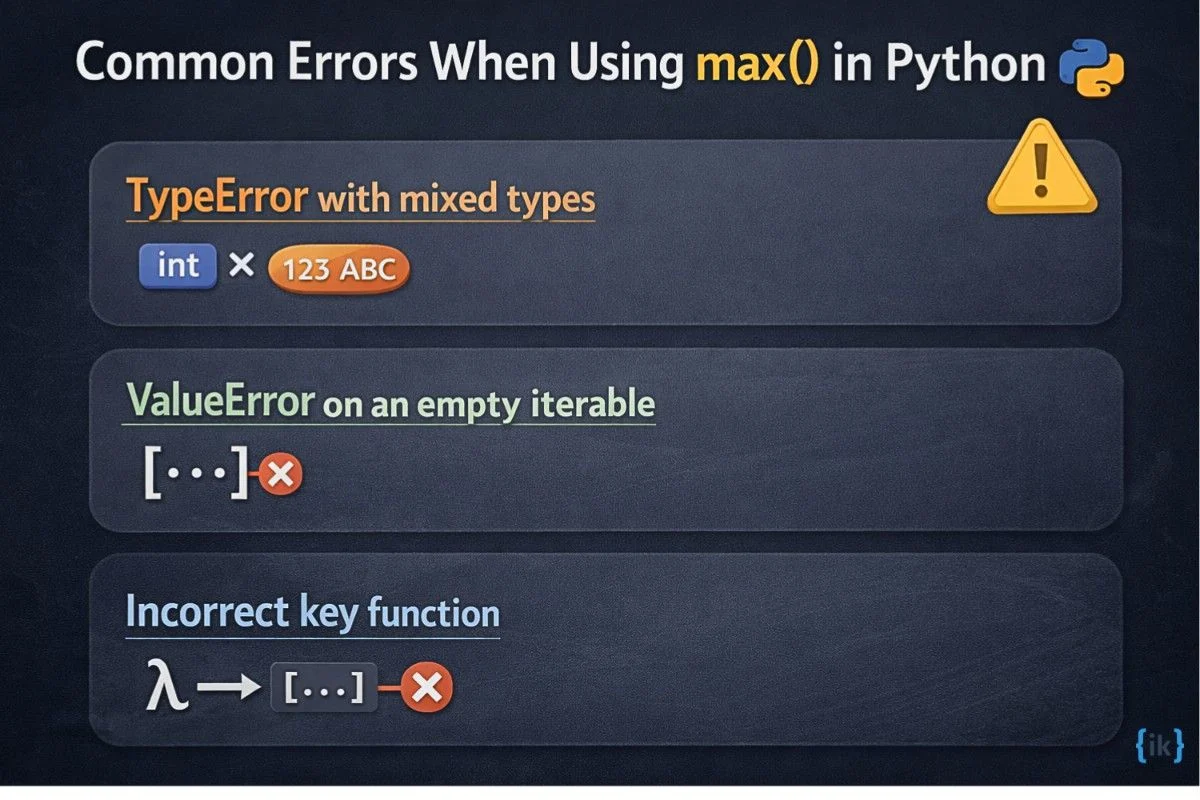
Even though the Python max function is straightforward, a few common mistakes can lead to errors. These usually happen when values cannot be compared, when the input is empty, or when the key function is not defined correctly.
1. TypeError with mixed types
This error occurs when max() tries to compare incompatible types, such as integers and strings. Python does not know how to order them.
values= [10, "20", 30]
print(max(values))
# Output:# TypeError: '>' not supported between instances of 'str' and 'int'
Fix: Ensure all elements are of the same type, or validate them beforehand using concepts from Type and Isinstance in Python.
2. ValueError on an empty iterable
If you pass an empty iterable, max() cannot determine the largest value.
items= []
print(max(items))
# Output:# ValueError: max() arg is an empty sequence
Fix: Provide a fallback using the default parameter.
3. Incorrect key function
The key function must return values that Python can compare. If it returns something unsuitable, the comparison fails.
names= ["Amy", "Ben", "Clara"]
print(max(names, key=lambdax: [x]))
# Output:# TypeError: '>' not supported between instances of 'list' and 'list'
Fix: Make sure the key function returns a comparable value, such as a number or string.
Transform Your Tech Career with AI Excellence
Join 25,000+ tech professionals who’ve accelerated their careers with cutting-edge AI skills
For a topic like max(), the best match is Interview Kickstart’s Software Engineering Interview Prep course. It fits well because this article builds the kind of Python foundation that shows up in coding interviews, especially when you need to work confidently with built-in functions, iterables, and comparison logic.
The course page highlights structured support, expert instructors, and mock interviews, which makes it a solid fit for learners strengthening core engineering interview basics.
Built for software engineering interview prep with technical training and interview practice.
Includes 1:1 support and personalized feedback.
Offers mock interviews with Silicon Valley engineers.
Covers career coaching alongside technical preparation.
Explore the course today to strengthen your Python and interview fundamentals.
Conclusion
The max() function in Python helps you find the largest value in a group of values, when working with numbers, strings, or other iterables. It is a simple but useful part of the Python max() function toolkit, and it pairs naturally with the Python min() and max() functions when you need to compare values in both directions.
FAQs: max() Function in Python
Q1. How do you find the maximum element in a container in Python?
Use the max() function on the container directly. It works with common iterables like lists, tuples, and sets, and returns the largest item found. If the container is empty, you can use default to avoid an error.
Q2. What is the use of the max() and min() functions in Python?
These functions are used to compare values and pick the largest or smallest one. max() helps when you need the highest score, value, or item, while min() is useful for the lowest one. They are both simple tools for basic comparisons in Python.
Q3. What is the difference between the Python max() and min() functions?
max() returns the largest value, while min() returns the smallest. They follow the same general syntax and support the same kinds of inputs. The only difference is the result they choose from the data.
Q4. Is max() a built-in function in Python?
Yes, max() is a built-in Python function. You do not need to import anything before using it. It is available as part of Python’s standard built-in functions.
Q5. What value does the Python min() function return?
The min() function returns the smallest item from an iterable or from multiple values passed directly. It works the same way as max(), but in the opposite direction. This makes it useful for finding the lowest number or earliest value in a set.
Q6. Can max() work with multiple arguments in Python?
Yes, max() can take multiple arguments like max(a, b, c). In this form, Python compares the values directly instead of looking inside a container. It is a quick option when you already have separate values available.