With the evolution of AI largely in the tech space. Almost no software development teams write code from scratch. According to McKinsey1 over 90% of software teams now use AI tools, saving an average of six hours per week. AI tools for software development do more than autocomplete code, they provide context-aware suggestions, automated refactoring, test generation, documentation, and workflow optimization. These AI tools increasingly influence critical, business-level engineering decisions, including: how code is written and structured, how tests assess risk and coverage, how teams prioritize their time, and more.
In this guide, we’ll discuss in detail the top AI tools for software development, comparing their features, supported models, pricing, and practical use cases
Key Takeaways
- AI tools for software development are transforming software development by automating repetitive coding, debugging, and documentation tasks.
- Learn how context-aware AI assistants enhance code quality, speed up development cycles, and handle large codebases efficiently.
- Recognize the value of different AI tools, from IDE-integrated assistants to browser-based and Git-centric solutions, and how they fit various development workflows.
- Discover practical use cases for AI in software development, including refactoring, test generation, multi-file edits, and terminal-based automation.
- Gain insights on how adopting AI tools strategically can boost team productivity, reduce errors, and accelerate project delivery without replacing core developer expertise.
Top 7 AI Tools for Software Development
With so many AI Tools for software development available today, choosing the right one depends on how you code, collaborate, and deploy software. Some tools focus on deep IDE integration and large-scale refactoring, while others prioritize rapid prototyping, Git-native workflows, or platform-specific development.
Let’s evaluate the leading AI tools for software development through a side-by-side comparison of their core features, supported models, and pricing, making it easier to identify which tool best fits different development workflows.
| Tool | Supported LLMs | Core Features | Pricing |
| Cursor | Claude 3.7, GPT-4, Custom API keys | Code completion, chat interface, multi-file context, terminal access, image support | Free: 2K completions Paid: $20/month with unlimited completions |
| GitHub Copilot | GPT-4o, Claude 3.5 / 3.7, Gemini 2.0 | Code completion, chat, multi-file context, terminal, PR summaries, web search, image support | Free: 2K completions Paid: $10/month unlimited |
| Bolt.new | Claude 3.7 | Code generation, chat, multi-file context, terminal, live preview, npm integration | Free: 150K daily tokens Paid: $20/month |
| JetBrains AI Assistant | OpenAI, Google, Anthropic, JetBrains Mellum, Local via Ollama | Code completion, chat, multi-file context, documentation, commit messages, test generation | 7-day free trial Paid: $10/month + IDE license |
| Windsurf | GPT-4o, Claude 3.5 / 3.7, DeepSeek-V3 | Code completion, chat, multi-file context, terminal, web search, image support | Free: Base model Paid: $15/month (credit-based) |
| Xcode AI Assistant | Local Apple model | Code completion, basic refactoring, and SwiftUI suggestions | Free with Xcode 16+Requires Apple Silicon |
| aider | OpenAI, Anthropic, DeepSeek, Local via Ollama | Git operations, multi-file edits, terminal workflow, voice input, image support, web search | Free toolPay only for API usage |
Now, let’s look into each of these tools in detail:
1. Cursor (AI Code Editor)
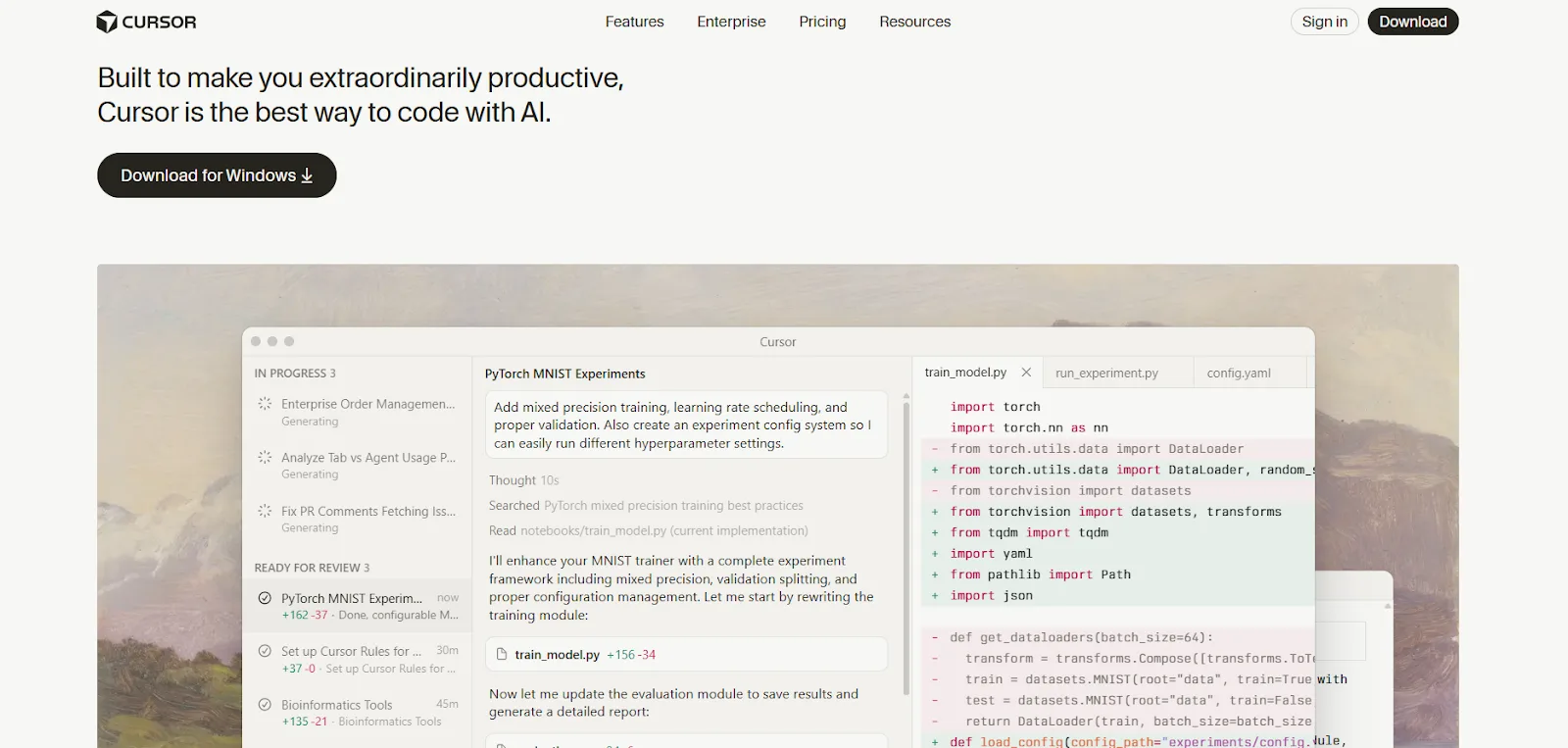
Cursor is an AI-first code editor built on top of VS Code. It is one of the best AI tools for software development, designed specifically for developers who want deep, context-aware AI assistance directly inside their coding environment.
Unlike lightweight coding assistants, Cursor treats AI as a core development primitive rather than an add-on. It tightly integrates large language models (LLMs) into the editor, enabling developers to write, refactor, debug, and document code using natural language.
Cursor is particularly powerful for engineers working on medium to large codebases, where understanding context across multiple files is critical.
While tools like Windsurf focus on smoother onboarding and abstraction, Cursor takes a more technical and configurable approach. It means there is a learning curve, but the payoff is significantly more control and precision once mastered.
Pros
Cursor offers several strong advantages that make it one of the most capable AI tools for software development today.
- Context-aware code assistance that understands entire repositories, not just single files
- Natural language inline edits, allowing developers to refactor or modify code without manual rewriting
- Multiple AI interaction modes, including chat, composer, and agent-based workflows
- Powerful multi-file refactoring, ideal for architectural changes
- Model flexibility, with built-in support for GPT-4 and Claude 3.5 Sonnet
- Developer-centric features like test generation, documentation writing, and terminal command suggestions
Cons
Despite its strengths, Cursor may not be the best fit for every developer or team. Some limitations to consider include:
- Steeper learning curve compared to simpler AI coding tools
- Heavily optimized for experienced developers, not beginners
Pricing: Cursor has a free tier that includes 2,000 AI code completions and 50 premium requests, perfect for experimenting and light usage. Paid plans start at $20/month, offering unlimited completions and higher premium quotas, with the Business plan adding privacy features for sensitive code.
Use Cases
Cursor is well suited for developers and teams looking to deeply integrate AI into their daily development workflow. Common and high-impact use cases include:
- Co-development in a VS Code-like environment
- Large-scale refactoring across multiple files
- Debugging complex logic with AI explanations
- Automated documentation generation
- Writing and updating unit and integration tests
Cursor is best for professional developers and engineering teams who want maximum control, deep codebase understanding, and advanced AI-assisted workflows inside a familiar IDE environment.
2. GitHub Copilot (AI Pair Programmer)

GitHub Copilot is among the most widely adopted AI tools for software development, offering real-time AI pair programming directly inside popular IDEs and GitHub workflows.
GitHub Copilot is an AI-powered pair programming tool developed by GitHub in collaboration with OpenAI. It provides real-time code suggestions, intelligent completions, and interactive chat-based assistance directly inside popular development environments.
Copilot goes beyond simple autocomplete by understanding project context, predicting next edits, and helping developers write, review, and improve code faster.
What sets GitHub Copilot apart is its deep integration with the GitHub ecosystem. It works seamlessly across local IDEs, GitHub repositories, pull requests, and even mobile and web interfaces. This makes it especially valuable for teams already using GitHub for version control, collaboration, and CI/CD workflows.
Pros
GitHub Copilot delivers strong value across the entire software development lifecycle. Key advantages include:
- Context-aware code generation with multiple suggestion alternatives
- Copilot Chat for explanations, debugging, and architectural guidance
- Automated test and documentation generation
- Pull request summaries and AI-assisted code reviews
- Broad IDE and platform support, from VS Code to JetBrains and GitHub.com
- Enterprise-grade controls, including policies, security, and knowledge base integration
- Flexible model selection, including GPT-4o, Claude 3.5 Sonnet, and Gemini
Cons
While Copilot is powerful and widely adopted, there are a few limitations to consider:
- Works best with the GitHub-centric development workflow
- Code suggestions may require manual review for accuracy and security
- Advanced enterprise features are locked behind higher-tier plans
Pricing: GitHub Copilot offers a free plan with 2,000 code completions and 50 chat messages per month, along with free access for verified students, teachers, and select open-source maintainers. Paid plans start at $10/month, providing unlimited usage and access to all supported AI models.
Use Cases
GitHub Copilot is designed to assist developers throughout daily coding and collaboration tasks. Common use cases include:
- Real-time coding assistance and pair-programming
- Debugging and code explanation through Copilot Chat
- Code review and pull request summary
- Documentation and test generation
- CLI command generation and workflow automation
GitHub Copilot is best for individual developers and teams already invested in GitHub who want a tightly integrated, multi-environment AI assistant that improves coding speed, collaboration, and code quality.
3. Bolt.new (Browser-Based AI Development)
Bolt.new stands out as a browser-based AI tools for software development platform that allow developers to build, run, and deploy full-stack applications with zero local setup. Bolt.new is a browser-based, AI-powered development environment built on WebContainers technology, enabling developers to build, run, and deploy full-stack web applications without any local setup.
Bolt combines a cloud IDE, real-time execution, and advanced AI assistance into a single workspace that runs entirely in the browser. What makes Bolt.new stand out is its zero-setup experience. Unlike traditional AI coding tools that require local configuration or IDE plugins, Bolt.new lets developers start coding instantly using natural language prompts.
Bold is particularly effective for rapid prototyping and web development projects, with native support for popular JavaScript frameworks like React, Vue, Angular, and Svelte. With recent Expo framework support, Bolt.new can also be used to create native Android applications.
Pros
Bolt.new offers several advantages for developers who want speed, simplicity, and AI-driven workflows. Some of the major benefits include:
- Fully browser-based development with no local setup required
- Natural language code generation and editing across multiple files
- Live preview with hot reload, ideal for frontend development
- Integrated terminal and package management directly in the browser
- One-click deployment to Netlify for fast production releases
- Strong collaboration features, including shareable links and team work spaces
Cons
Despite its convenience, Bolt.new has some limitations that may matter for advanced teams:
- Less customizable than local IDE-based AI tools
- Primarily optimized for JavaScript and web-focused stacks
Pricing: Bolt.new provides a free tier with 150K daily tokens and 1M monthly tokens, making it suitable for experimentation and small projects. Paid plans start at $20/month, offering higher usage limits and advanced features, with enterprise plans available for larger teams.
Use Cases
Bolt.new is best suited for fast-moving development scenarios where speed and accessibility matter most. Common use cases include:
- Rapid full-stack web application prototyping
- Frontend development with real-time previews
- AI-assisted coding directly in the browser
- Collaborative development and demos
- Quick deployment of web apps and experiments
Bolt.new is best for developers, startups, and product teams that want a zero-install, AI-first environment to quickly build and ship modern web and mobile applications.
4. JetBrains AI Assistant (AI for JetBrains IDEs)
JetBrains AI Assistant is a powerful addition to modern AI tools for software development, designed specifically for developers working inside the JetBrains IDE ecosystem. JetBrains AI Assistant brings AI-powered development directly into the JetBrains IDE ecosystem, including IntelliJ IDEA, PyCharm, WebStorm, and other professional tools.
Instead of acting as a generic plugin, JetBrains AI assistant is deeply embedded into the IDEs developers already use daily, enabling context-aware code generation, refactoring, and documentation with a strong understanding of project structure.
Compared to IDE-agnostic tools like GitHub Copilot, JetBrains AI Assistant focuses on depth over breadth. It leverages JetBrains’ own in-house LLM, Mellum, integrates directly with JetBrains documentation, and has access to rich IDE metadata such as symbols, dependencies, and project-wide context.
Pros
JetBrains AI Assistant offers several advantages for developers already invested in JetBrains tools:
- Deep, native integration across most JetBrains IDEs
- Project-wide code understanding, not limited to a single file
- Multiple AI interaction methods, including chat, inline prompts, and editor actions
- Strong refactoring and code transformation capabilities
- Local model support via Ollama, improving privacy and flexibility
- Direct access to JetBrains documentation for accurate suggestions
Cons
Despite its strong IDE integration, there are some considerations before adoption:
- Requires an active JetBrains IDE subscription
- Limited usefulness outside the JetBrains ecosystem
Pricing: JetBrains AI Assistant comes with a 7-day free trial, after which subscriptions start at $10/month. It requires a paid JetBrains IDE license, and enterprise plans are available for organizations needing advanced controls and support.
Use Cases
JetBrains AI Assistant is ideal for developers working within JetBrains IDEs who want AI assistance tightly woven into their development workflow. Common use cases include:
- AI-powered code generation and intelligent completion
- Large-scale refactoring and code cleanup
- Documentation, commit message, and test generation
- Cross-language code conversion
- Terminal command suggestions and debugging support
JetBrains AI Assistant is best for professional developers and teams using JetBrains IDEs who want deep, IDE-native AI capabilities with strong privacy, refactoring, and multi-language support.
5. Windsurf (AI-Native IDE by Codeium)

Windsurf represents the next generation of AI tools for software development, built as an AI-native IDE where intelligent assistance is embedded at the system level. Windsurf is a full-featured, AI-native integrated development platform created by Codeium to help developers stay in flow while coding.
Unlike traditional IDEs that add AI as a plugin or extension, Windsurf is built from the ground up with AI at its core. It combines a familiar VS Code–based editor with Cascade, an advanced AI assistant designed to collaborate with developers in real time.
What differentiates Windsurf from earlier Codeium extensions is its deep, system-level AI integration. Cascade has project-wide awareness, understands developer intent, and can reason across files, terminals, and external documentation.
Pros
Windsurf delivers a comprehensive AI-driven development experience with several standout strengths:
- AI-native IDE design, not an extension-based approach
- Cascade AI assistant with access to multiple LLMs (GPT-4o, Claude 3.5 Sonnet, DeepSeek-V3, and more)
- Project-wide context awareness for accurate suggestions and refactors
- Advanced autocomplete modes, including intent-based “Super Complete”
- Integrated terminal and package management
- Image input support, allowing screenshots to be used for debugging and explanations
- Custom rules and memory system to adapt AI behavior over time
Cons
While Windsurf is powerful, there are a few trade-offs to keep in mind:
- Still evolving as a newer AI-first IDE
- Some advanced features rely on a credit-based usage model
- SSH and Dev Container support are currently in beta
Pricing: Windsurf offers a free plan with limited access using the Cascade Base model. Paid plans start at $15/month and use a credit-based system, allowing developers to choose higher-end models and advanced AI workflows based on usage.
Use Cases
Windsurf is designed for developers who want AI to be a core part of their daily workflow rather than an occasional helper. Common use cases include:
- End-to-end coding and debugging in an AI-native IDE
- Large-scale refactoring with project-level awareness
- AI-assisted package management and terminal commands
- Code explanation and documentation generation
- Managing complex projects with custom AI rules
Windsurf is best for developers and teams looking for a modern, AI-first IDE that minimizes context switching and maximizes productivity through deep, collaborative AI assistance.
6. Xcode AI Assistant

Xcode AI Assistant is Apple’s native entry into AI tools for software development, optimized for Swift and SwiftUI development with a strong focus on privacy and local execution. Xcode AI Assistant is Apple’s built-in AI-powered development feature introduced with Xcode 16, marking the company’s first native step into AI-assisted coding.
Xcode is designed specifically for Swift and SwiftUI development and runs on custom local language models optimized for Apple Silicon. Because the AI executes locally, it requires no external setup and aligns closely with Apple’s privacy-first philosophy.
The assistant is best suited for common iOS and macOS development tasks such as boilerplate generation, UI structuring, and basic refactoring. While it performs well for core Swift workflows, it is intentionally limited in scope. Developers who need broader language support, advanced reasoning, or multi-platform AI workflows may still prefer third-party extensions like GitHub Copilot or Codeium.
Pros
Xcode AI Assistant offers several advantages for developers working exclusively within the Apple’s ecosystem:
- Native, built-in integration with Xcode and Swift toolchains
- Optimized for Apple Silicon, delivering fast local inference
- Strong Swift and SwiftUI understanding
- Zero setup required, ready out of the box
- Privacy-first design, with no code sent to external servers
- Offline support, useful for secure or disconnected environments
Cons
Despite its tight integration, there are clear limitations to consider:
- Less capable for complex logic or architectural refactoring
- Lacks advanced AI features found in specialized third-party tools
Pricing: Xcode AI Assistant is free and included with Xcode 16 and later, but it requires an Apple Silicon Mac. Additional costs may apply if developers choose to install third-party AI extensions for more advanced capabilities.
Use Cases
Xcode AI Assistant is best used for streamlining everyday Apple development tasks. Typical use cases include:
- Swift and SwiftUI code generation
- Boilerplate and preview data creation
- Comment-driven implementation suggestions
- Basic refactoring and pattern recognition
- Secure, offline development workflows
Xcode AI Assistant is best for iOS and macOS developers who prioritize privacy, local execution, and tight Swift integration over broad AI functionality and cross-platform support.
aider (CLI-Based AI Pair Programmer)
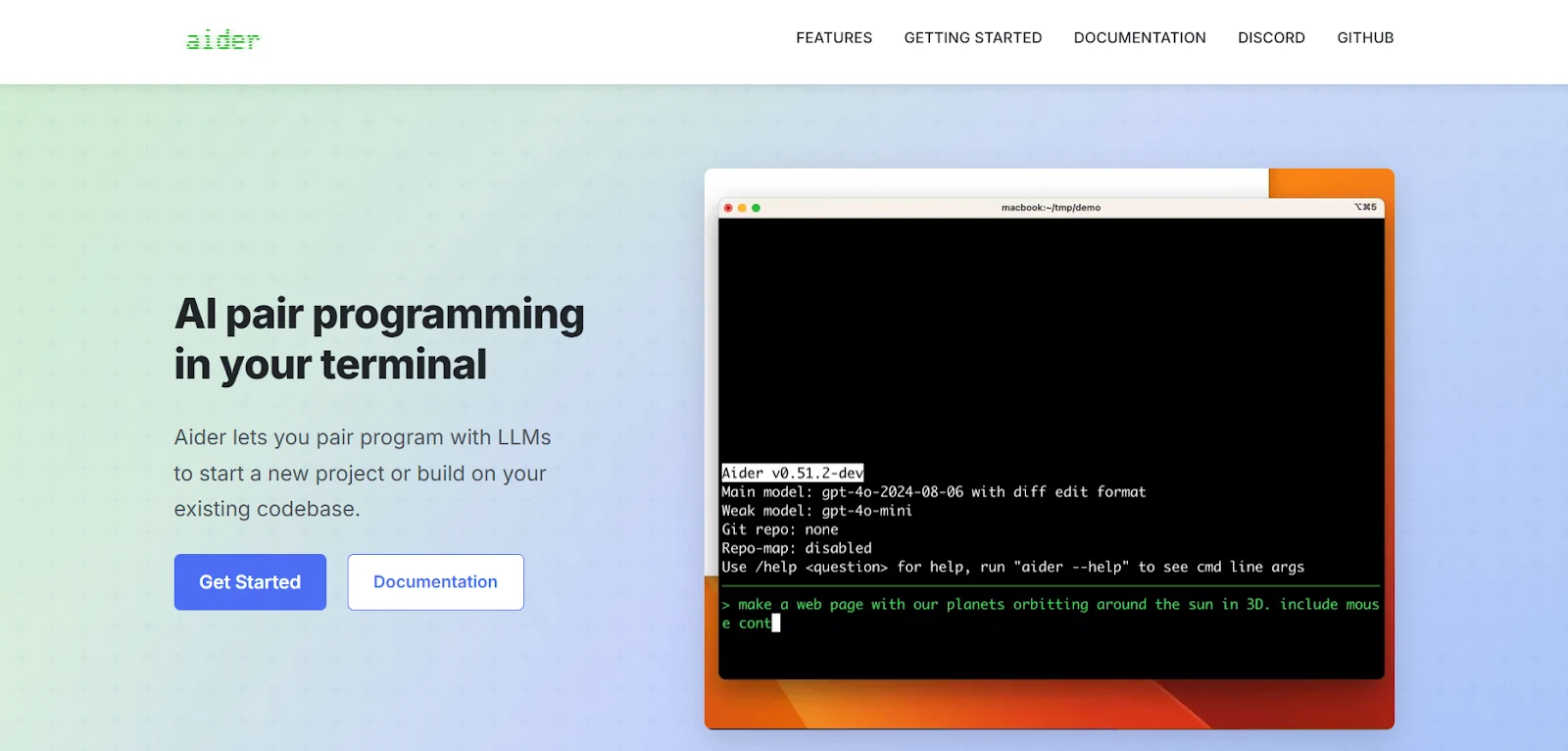
aider is a unique example of AI tools for software development, bringing AI pair programming directly into the terminal with Git-native workflows. Aider is an open-source, command-line AI coding tool that turns the terminal into a powerful AI pair programming environment.
Instead of operating inside a traditional IDE, aider works directly with local Git repositories, making it especially appealing to developers who prefer terminal-first workflows and tight version control integration. What sets aider apart is its Git-native design. Every AI-driven code change is tracked, reviewable, and committed with clear messages, giving developers full transparency and control.
Beyond its CLI interface, aider can also operate in a “watch” mode, responding when special comments are added to source files, and offers an experimental browser-based UI for users who want a visual layer on top of the core functionality.
Pros
aider provides several unique advantages for experienced developers and teams:
- Terminal-first AI workflow, ideal for CLI-focused developers
- Automatic Git commits with meaningful, human-readable messages
- Strong multi-file editing using advanced repository context mapping
- Multiple operation modes, including planning (Architect) and exploration (Ask)
- Support for local models via Ollama, improving privacy and cost control
- Highly customizable and scriptable, fitting into existing DevOps workflows
Cons
While powerful, aider is not designed for everyone. Key limitations include:
- Steeper learning curve, especially for developers unfamiliar with CLI tools
- No traditional GUI by default (browser UI is still experimental)
- Requires manual management of LLM API keys
Pricing: aider is open source and free to use, but developers must provide their own API keys for supported LLMs. It works with OpenAI, Anthropic, DeepSeek, most OpenAI-compatible providers, and local models via Ollama.
Use Cases
aider is best suited for developers who want AI assistance tightly coupled with Git and the command line. Common use cases include:
- Local development with AI-assisted coding
- Managing and modifying Git repositories with confidence
- AI pair programming directly in the terminal
- Multi-file refactoring with full version control visibility
- Privacy-focused workflows using local or self-hosted models
aider is best for experienced developers and teams who prefer terminal-based workflows, value transparent Git history, and want full control over how AI interacts with their codebase.
How We Selected These AI Tools for Software Development?
The below mentioned list of AI tools for software development is curated through extensive research and comparative analysis. We evaluated each tool based on publicly available documentation, official product announcements, pricing pages, and feature disclosures from the vendors. To ensure practical relevance, we reviewed third-party technical reviews, developer feedback, and real-world use cases shared by engineering teams.
We focused on key evaluation criteria such as supported large language models (LLMs), depth of IDE or workflow integration, multi-file context handling, Git and terminal support, and suitability for different development styles. Special attention was given to platform constraints, privacy considerations, and pricing models. This research-driven approach allows for a balanced overview of leading AI tools for software development without overstating direct usage experience.
Benefits of Using AI Tools for Software Development
Once you understand how different AI coding tools are selected and compared, the next step is understanding why they matter. Beyond convenience, modern AI tools play a practical role in reducing development friction, improving code consistency, and supporting developers across the entire software lifecycle.
The benefits below highlight how AI tools for software development deliver real, day-to-day value, whether you are working on a small project, a large codebase, or a fast-moving production environment.
- Faster development cycles: AI tools accelerate coding by generating boilerplate, suggesting completions, and automating repetitive tasks, allowing developers to ship features faster.
- Improved code quality: Context-aware suggestions, refactoring assistance, and automated code reviews help reduce bugs, enforce best practices, and maintain cleaner codebases.
- Better handling of large codebases: Modern AI tools understand multi-file and project-wide context, making it easier to navigate, modify, and refactor complex systems.
- Increased developer productivity: By reducing context switching and manual effort, developers can focus on problem-solving instead of syntax or documentation lookups.
- Faster debugging and issue resolution: AI-powered explanations, error analysis, and suggested fixes speed up debugging and root-cause identification.
- Enhanced documentation and testing: AI tools can generate documentation, unit tests, and commit messages automatically, improving maintainability.
- Lower onboarding time: New developers ramp up faster by using AI to understand unfamiliar code, architectures, and workflows.
Why Are AI Tools Becoming Essential for Developers?
AI tools are becoming foundational to modern software development for several practical and structural reasons listed below:
- Rising codebase complexity: Modern systems span microservices, cloud infrastructure, and third-party APIs, making it harder for individual developers to reason about everything without assistance.
- Higher expectations with smaller teams: Companies are optimizing for leverage, expecting fewer engineers to deliver the same or greater output, which increases the need for productivity amplification.
- Acceleration of development cycles: Faster release cycles require rapid iteration, refactoring, and testing tasks that AI tools can significantly speed up.
- Shift from writing to reviewing code: Developers increasingly curate, validate, and integrate AI-generated code rather than writing everything from scratch.
- Improved code quality and consistency: AI-assisted refactoring, linting, and test generation help enforce standards and reduce human error.
- Early detection of risks and failures: AI tools can surface potential bugs, security issues, and performance risks before they reach production.
- Better focus on high-value work: By automating repetitive tasks, AI enables developers to spend more time on system design, problem-solving, and business-critical decisions.
Conclusion
AI tools have moved from experimental add-ons to core components of modern software development. These tools are embedded across IDEs, editors, browser-based environments, and Git-centric workflows, shaping how teams write, test, deploy, and maintain code. Because each tool serves a different development style and use case, there is no universal “best” option, effective adoption depends on alignment with a team’s tech stack, workflow maturity, privacy needs, and desired level of control.
As AI tools for software development become more capable, their role is also expanding. AI systems will increasingly refactor large codebases, generate tests, and surface potential production issues earlier in the lifecycle. However, this progress does not reduce the importance of human engineers. Long-term success depends on teams that understand their systems deeply, question AI-generated decisions, and preserve domain knowledge.
The future of software development is human-centered but AI-augmented that signals a partnership where AI delivers speed and scale, and engineers provide judgment, context, and accountability.
FAQs- AI Tools for Software Development
Q1. What are AI tools for software development?
AI tools for software development are applications that leverage artificial intelligence to assist developers with coding, debugging, testing, documentation, and workflow automation. They can be IDE-integrated, browser-based, or command-line focused.
Q2. How do AI coding tools improve productivity?
By automating repetitive tasks, suggesting context-aware code completions, generating documentation, and helping with multi-file refactoring, AI tools reduce manual effort and speed up development cycles.
Q3. Are AI coding tools suitable for beginners?
Some AI tools are beginner-friendly, like browser-based editors and AI assistants, while IDE-integrated and CLI-focused tools may be more suitable for experienced developers due to their complexity.
Q4. Can AI tools handle large codebases?
Yes. Modern AI coding tools understand multi-file and project-wide context, making it easier to navigate, modify, and refactor complex systems efficiently.
Q5. Do AI tools replace developers?
No. AI tocomplement human developers by improving efficiency, reducing errors, and handling repetitive tasks. Core development skills and decision-making remain essential.
References
Recommended Reads:
- 20 Essential Interview Puzzles for Software Engineers in 2026 (With Solutions)
- Software Engineer Job Levels at Google
- Best Companies to Work For Software Engineer (And Top Cities)
- 40 Tech Prep JPMorgan Chase Software Engineer Interview Questions
- 25 Essential Software Engineering MCQs for Tech Professionals